// the deck, screen by screen — web GUI
Every capability from the terminal tour, rendered as a dark web console you reach over the tailnet — same single API, same hard engagement gate. Point a browser at the deck and operate it from anywhere. Prefer the keyboard? Switch to the terminal view →
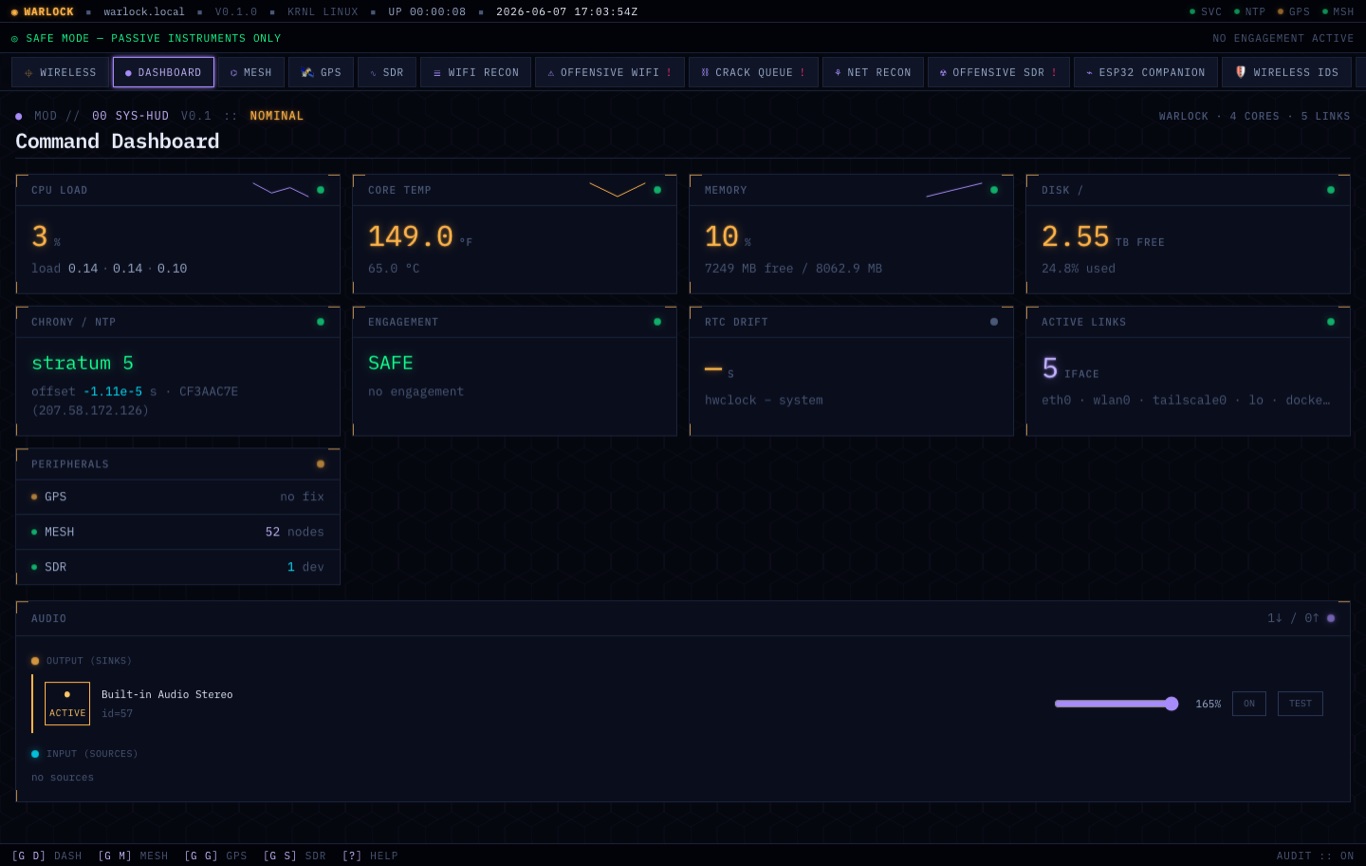

00 // command dashboard
The same telemetry as the terminal — throttle, temp, memory, disk, time sync, links, peripherals — rendered in a fast dark web console. The engagement state stays front-and-center: SAFE MODE until you arm a scoped engagement.
+ // remote access — tailscale
The deck joins your private Tailscale tailnet, so the web console is reachable from any device on the tailnet — WireGuard-encrypted, no port-forwarding, no public exposure, ACL-scoped. Run the deck headless in the field; drive its GUI from your laptop.
# any browser on the tailnet
→ http://warlock:7777

# or the terminal UIs over SSH:
→ ssh sem@warlock
→ warlock-tui  ·  warlock-chat
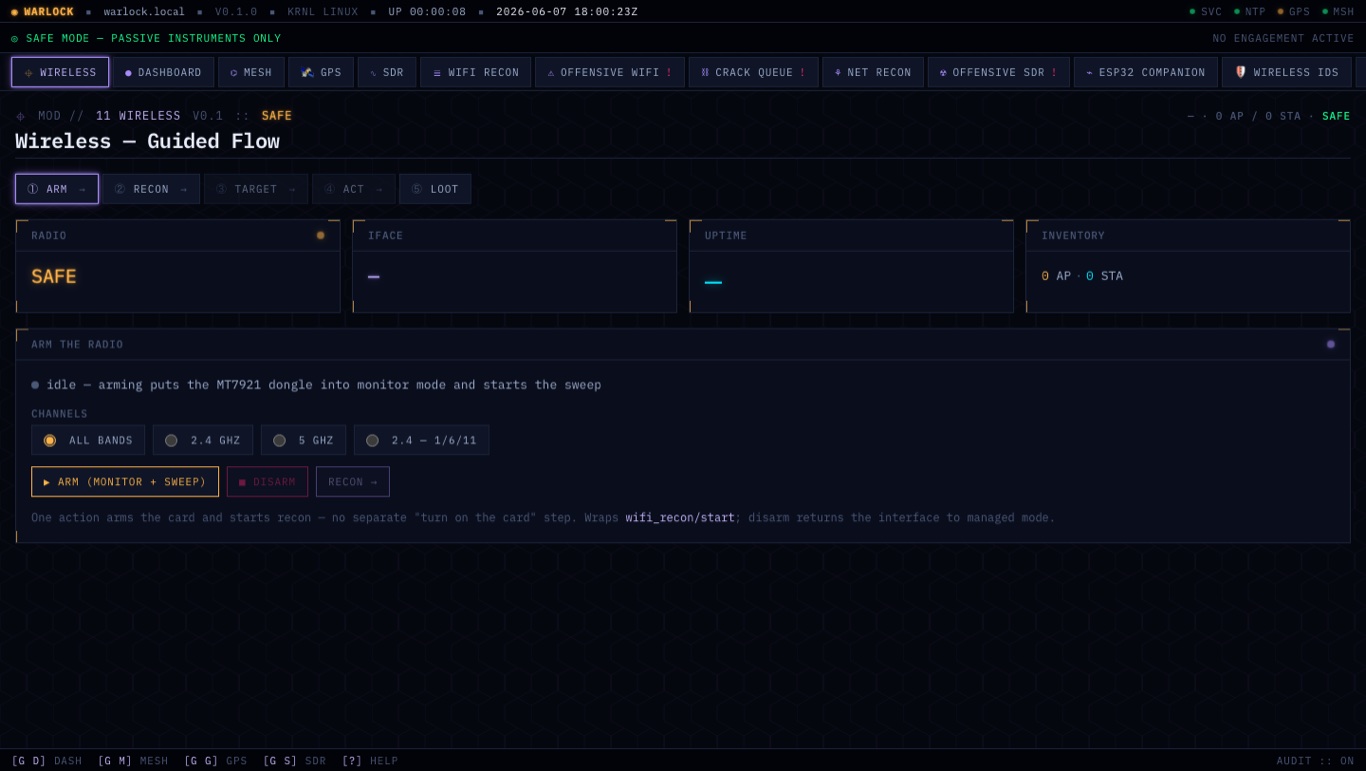
01 // wireless — guided flow
The web wireless console walks the operator through a guided ARM → RECON → ACT → LOOT flow on the MediaTek MT7961 — discover access points and clients, capture handshakes, and (under an active engagement) run the offensive toolkit. Passive until you're authorized.
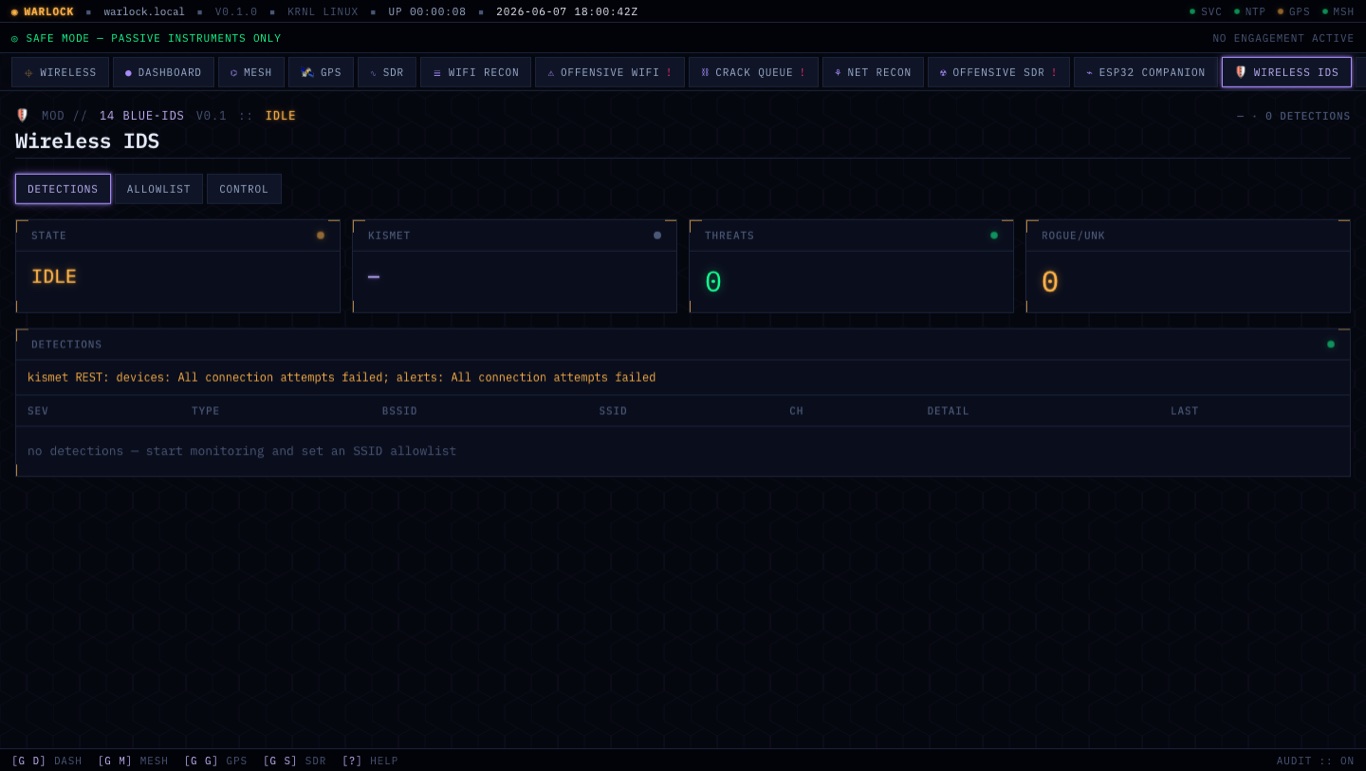
02 // wireless IDS — blue team
A Kismet-driven intrusion detector flags rogue APs, evil-twins, and deauth floods and pages them to a live activity feed — defensive monitoring you can leave running while you work.
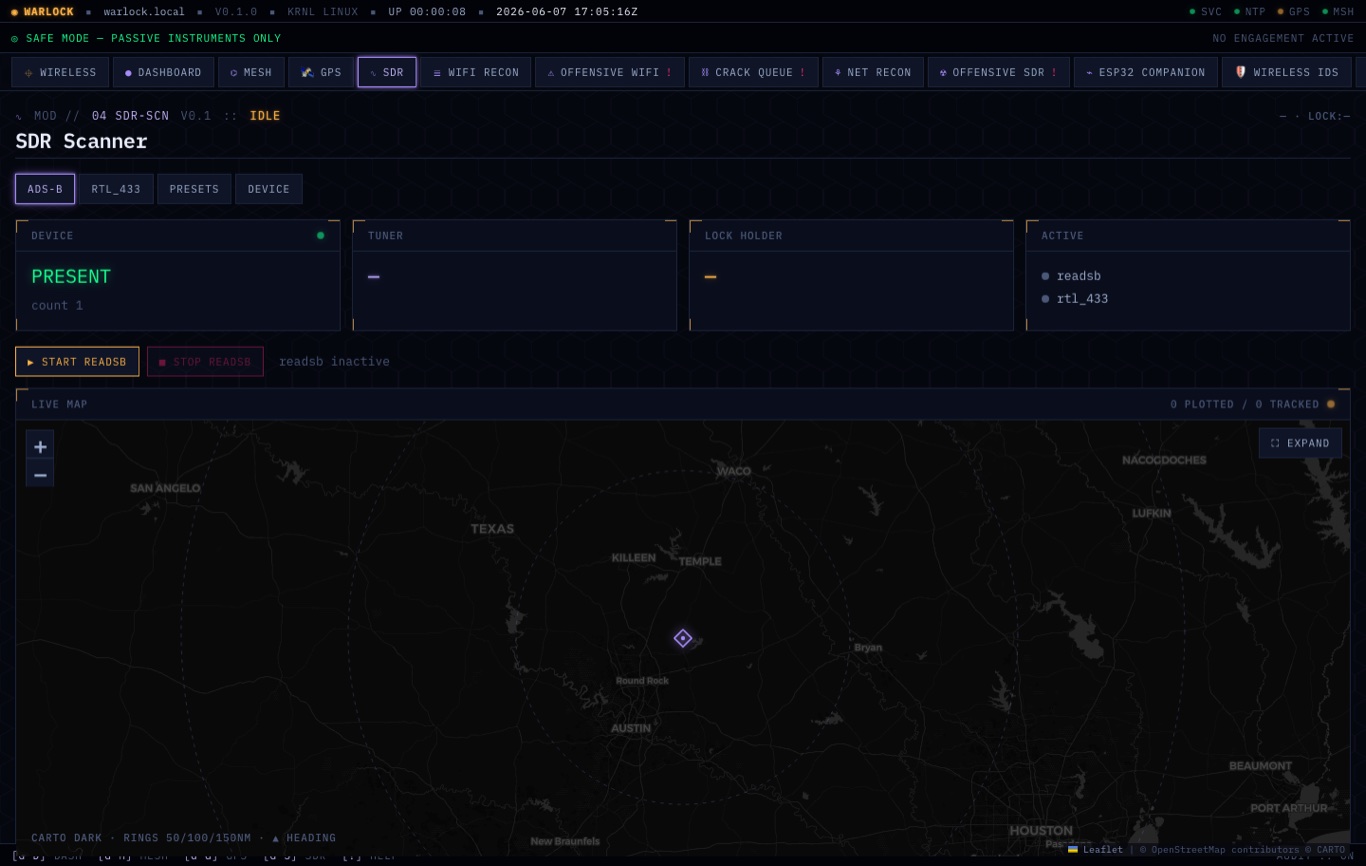
03 // software-defined radio
RTL-SDR receive for ADS-B aircraft (with a live map), rtl_433 sensors, and tunable presets — all in the web console. Receiving is always on; transmitting is a separate, gated module.
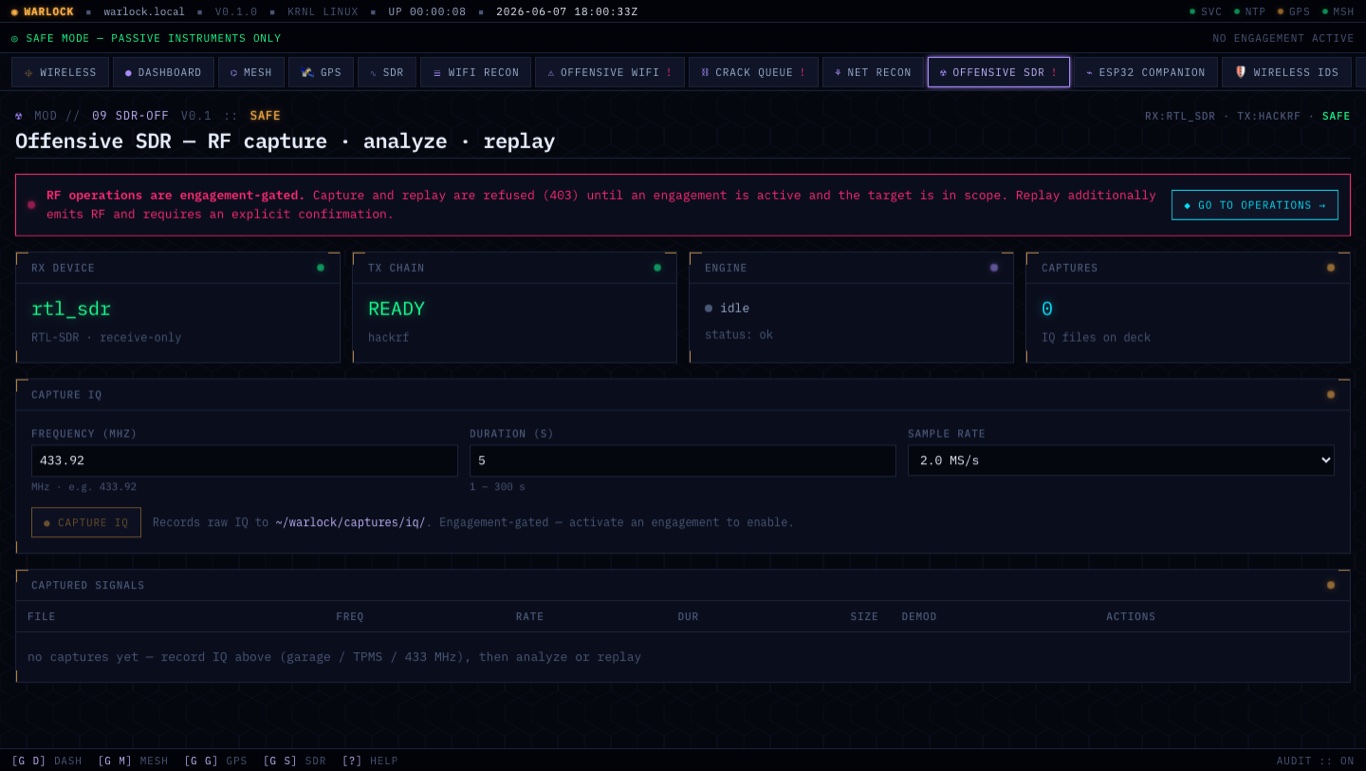
04 // offensive SDR — gated
RF capture, analyze, and replay (HackRF). The web UI makes the gate explicit: replay is refused (403) until an engagement is active and a named in-scope target authorizes the emission — with a two-step confirm before it keys the radio.
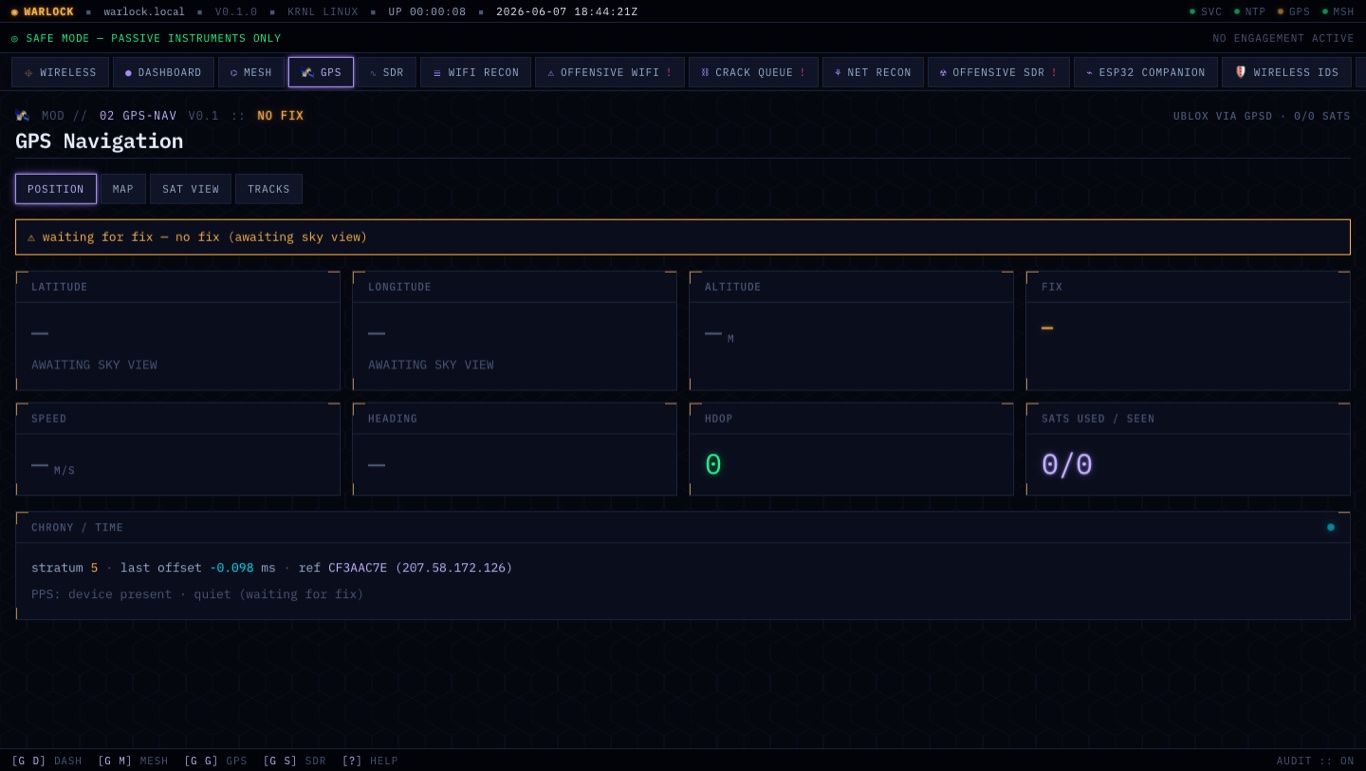
05 // GPS + precision time
A u-blox receiver with 1-PPS shows position, satellites, and disciplines the system clock through chrony — so audit timestamps stay accurate with no network time source.
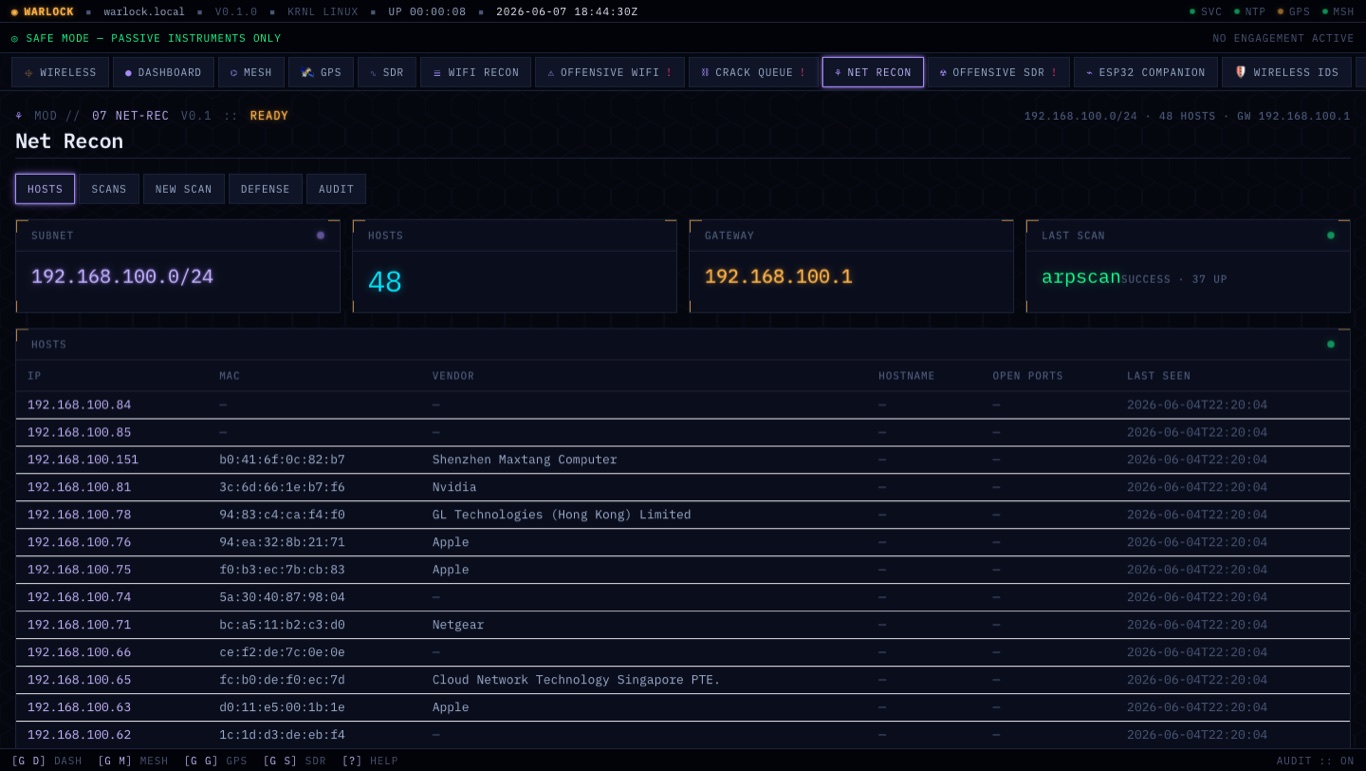
06 // network recon & defense
ARP discovery enumerates the local subnet with vendor fingerprints; a baseline-and-diff monitor raises defense alerts on MAC changes, new hosts, and new services. Own-network monitoring is always allowed; wide / non-local port scans are gated.
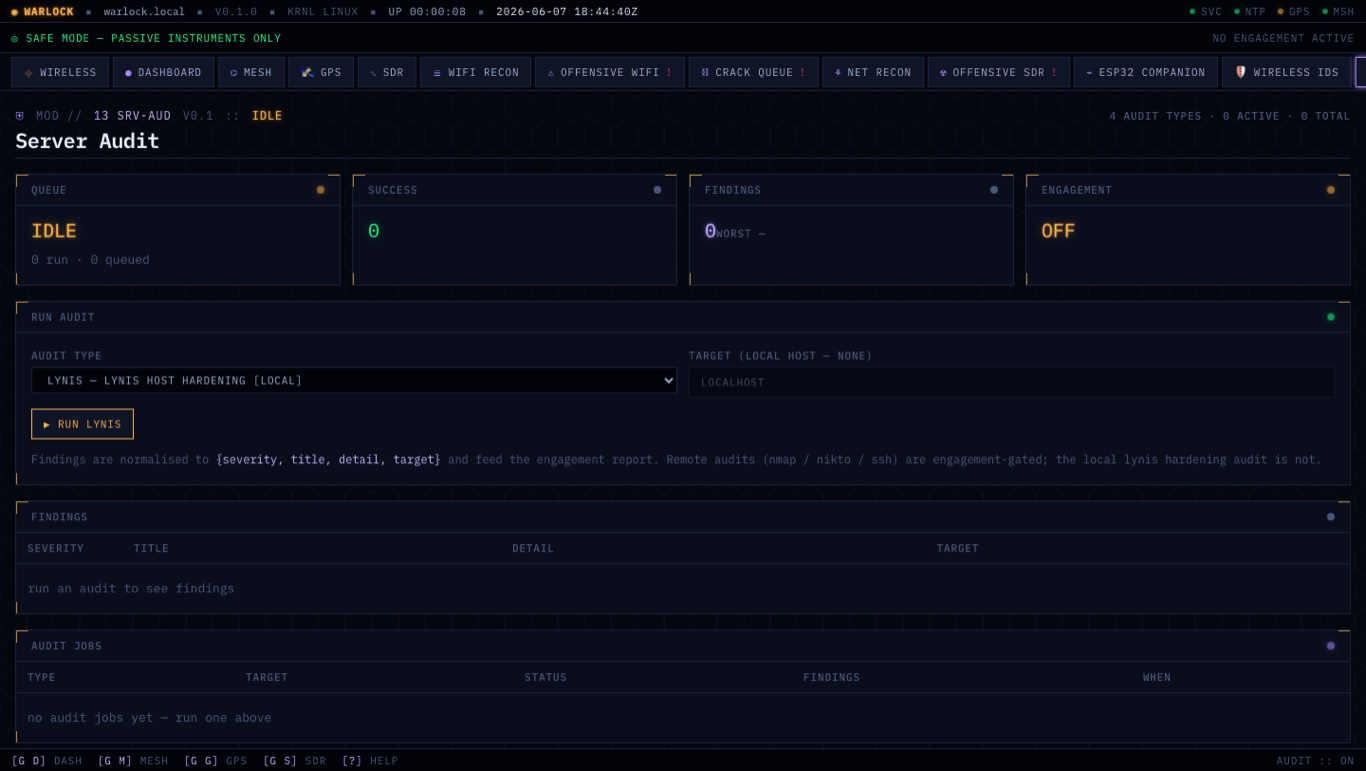
07 // server audit
nmap-vuln, nikto, lynis, and SSH-config review against the hosts you manage. Remote audits are engagement-gated; local hardening always runs. Secrets are passed by environment and never written to the audit log.
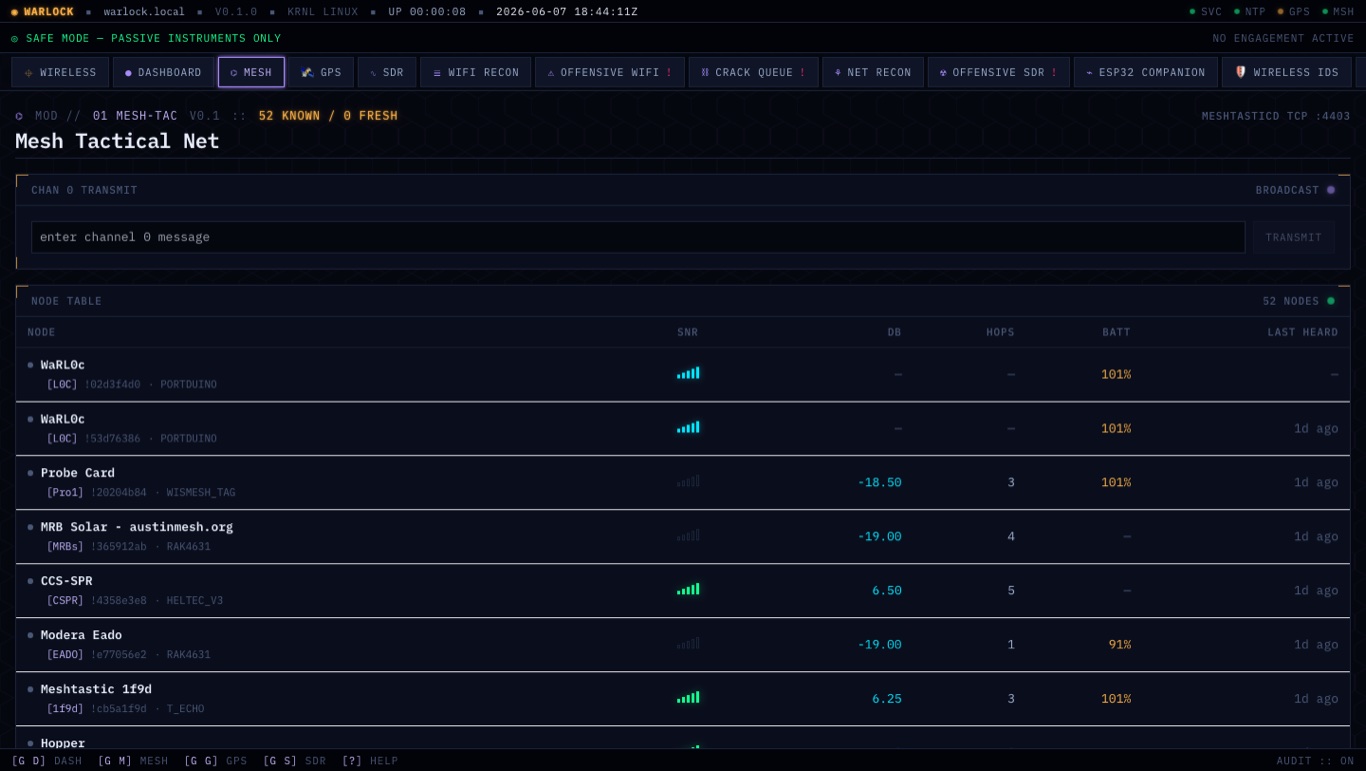
08 // mesh — off-grid comms
Meshtastic over LoRa makes the deck a node on a long-range, low-power mesh. Coordinate with other operators and decks in air-gapped or infrastructure-down situations — no cell, no Wi-Fi, no internet. Broadcast to all or DM one, right from the browser.
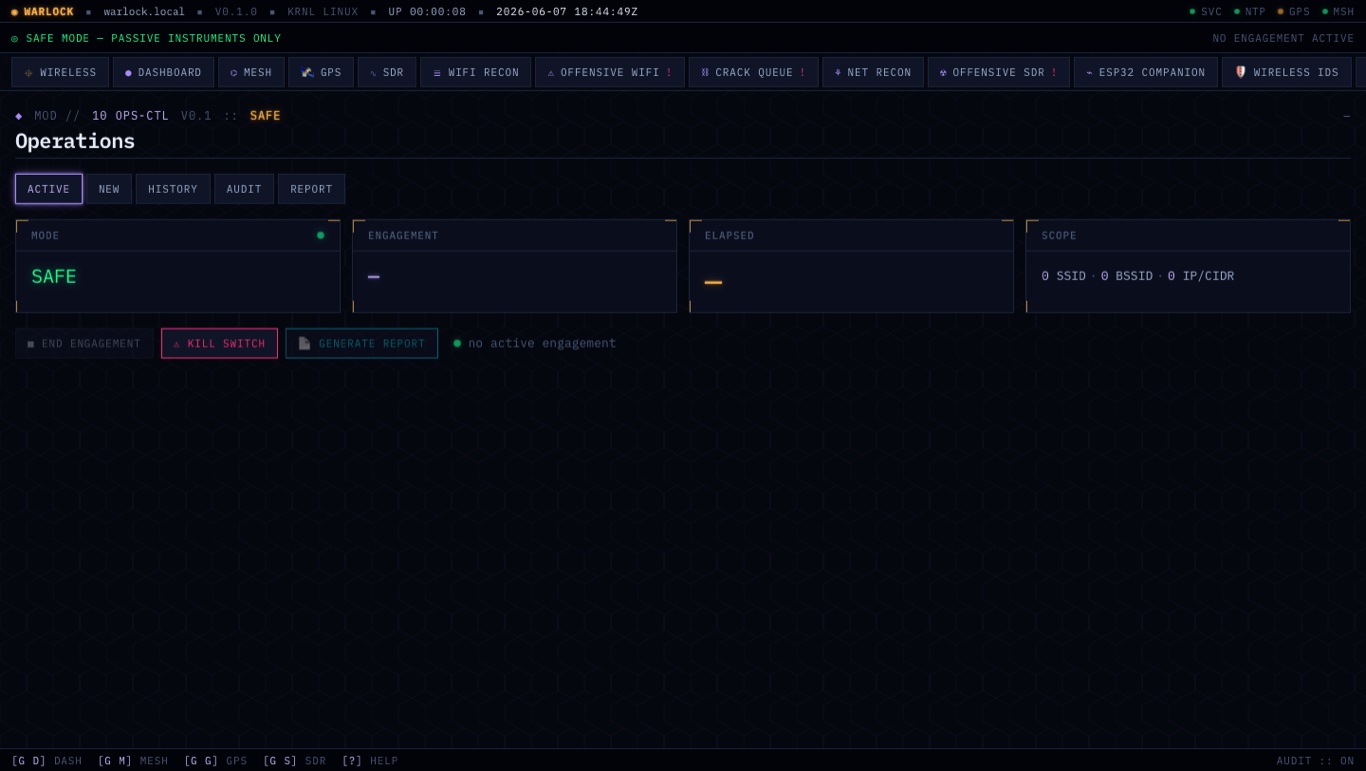
09 // the engagement gate
Operations is where you arm an engagement with an explicit scope, end it, generate a report — and trip the kill switch, which cancels every in-flight job and restores safe state. The scope you set here is enforced on every action, terminal or web, and every refusal is signed into the audit trail.
Web GUI for the desk, terminal UI for the field — same single API, same hard engagement gate, same signed audit trail.